
CALL US 770-248-9089

How to Choose a Hybrid UV Printer for Your Business?

Choosing the right Hybrid Uv Printer can shape your production speed, product range, and long-term profit. It is not simply a machine purchase. It is a workflow decision.

David Zwang, a respected printing-technology consultant, offers a practical principle: “Choose technology for the work it must perform, not for the features it displays.” That advice matters when comparing hybrid systems. A printer may advertise impressive resolution, but can it handle your daily materials? Check its performance on rigid boards, vinyl, acrylic, corrugated sheets, and flexible media. Ask for real samples, not only showroom images.

Measure the details. How quickly does the printer change between flatbed and roll-to-roll work? Does the vacuum table hold thin sheets evenly? Can the ink cure without tackiness or banding? Operators should also examine nozzle maintenance, white-ink circulation, software compatibility, and technical support response times. Small delays become expensive during a busy afternoon.

Your business may need more than speed.

Consider floor space, ventilation, power requirements, operator training, and service access. A cheaper printer can become costly when downtime interrupts customer orders. However, premium specifications do not automatically guarantee better results. This is where careful testing matters.

A useful evaluation includes sample production, operating-cost estimates, and feedback from the people who will run the machine. Their experience may expose weaknesses that brochures hide. Even this approach is imperfect. Substrates change, workloads grow, and technology evolves. The strongest choice is therefore not the most impressive Hybrid Uv Printer, but the one that fits your actual work, budget, and next stage of growth.
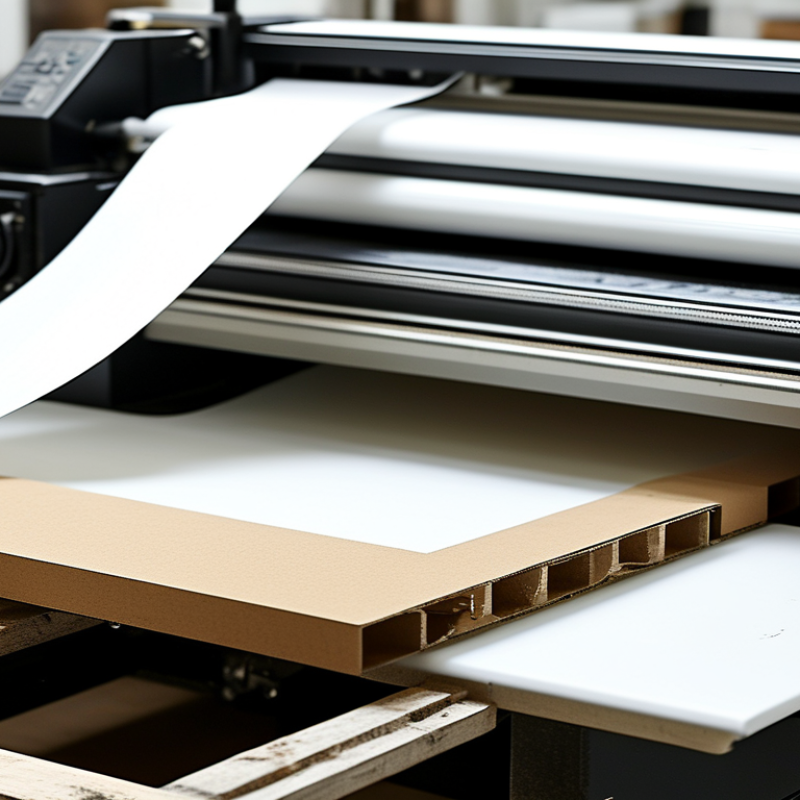
How to Choose a Hybrid UV Printer for Your Business?

Define Your Business Needs and Production Requirements

Choosing a hybrid UV printer should begin with your business reality, not a machine specification sheet. Identify the materials you print most often, such as rigid boards, acrylic panels, labels, or flexible film. Measure common sizes and thicknesses carefully. A printer that handles wide sheets may still waste time on small custom orders.

Record your weekly order volume and peak-season workload. Estimate how many square meters require production each day. Then check whether you need white ink, clear effects, textured finishes, or precise color matching. These features affect workflow, maintenance, and operating costs. In my experience, businesses often overestimate speed and underestimate setup time. Short runs can involve frequent cleaning, material changes, and file adjustments. That matters.

Think about the people using the printer. An experienced operator may manage advanced settings, while a small team may need simpler controls. Review ventilation, floor space, power requirements, and material storage before purchasing. Ask how quickly the printer reaches production speed after starting. Test sample files with fine text, solid color blocks, and curved edges. Real samples reveal more than brochures. Leave room for mistakes. Your first production estimate may be too optimistic, especially when drying time or reprints are included. Compare the printer’s capabilities with your actual orders, available staff, and service budget. A suitable choice should support consistent output without forcing your business into an unfamiliar production model.

Assess Print Quality, Speed, Size, and Hybrid Printer Capabilities

Choosing a hybrid UV printer starts with print quality, not advertised resolution. Inspect fine text, skin tones, solid blacks, and gradients on real samples. Ask for tests on your materials, including coated boards, flexible film, or textured panels. A sharp image can still look weak if ink adhesion fails. I learned this after a sample looked excellent indoors but scratched during handling. That mistake changed my buying checklist.

Speed needs context. Compare production speed, not only maximum carriage speed. Ask how quickly the printer completes setup, color changes, curing, and routine cleaning. A machine rated fast may slow down with white ink, layered effects, or high coverage. Measure usable print width against your busiest jobs. Extra width sounds attractive, but it can consume valuable floor space. Leave room for loading, ventilation, and service access.

Hybrid capabilities matter when one system must handle rigid and roll materials. Check table strength, roll tension control, media thickness range, and curing consistency. Confirm whether flatbed and roll workflows switch without awkward manual adjustments. Request a live demonstration using your files. Review calibration tools, operator training, warranty terms, and local technical support. Reliability is difficult to judge from a brochure. A quieter printer may improve a shared workshop, while lower power use can reduce operating costs. I would also question my assumptions. The cheapest option may become expensive when downtime interrupts daily orders.

Check Media Compatibility, Ink Options, and Workflow Flexibility

Choosing a hybrid UV printer starts with the materials your business actually handles. List every substrate, including rigid boards, coated paper, film, acrylic, and textured surfaces. Then test real samples, not only supplier swatches. A printer may produce sharp graphics on flat sheets but struggle with curled film or uneven boards. Measure the maximum media thickness and loading area carefully. Small gaps can disrupt daily production.

Ink options also affect product quality, durability, and operating costs. Ask whether the printer supports flexible, rigid, or specialty ink sets. Consider adhesion, scratch resistance, outdoor exposure, and required curing time. White ink can improve results on dark materials, while clear ink may add texture or selective gloss. However, extra channels can increase maintenance. More options are not always better. I once underestimated cleaning time during busy shifts, and that mistake affected delivery planning.

Workflow flexibility should be tested from file preparation to finished output. Check software compatibility, color management, variable-data handling, and print queue controls. A useful system should switch between roll media and flat sheets without complicated adjustments. Inspect how quickly operators can change jobs, clean printheads, and recover from errors. Ask for a live demonstration using your files and materials. A smooth demo is helpful, but it may not reflect a full production day. Test short runs, long runs, and mixed orders before making a decision.

Compare Operating Costs, Maintenance Needs, and Support Services

How to Choose a Hybrid UV Printer for Your Business?

A hybrid UV printer should be judged by total operating cost, not purchase price alone. In a busy sign shop, electricity, ink, media waste, and labor quickly become major expenses. Calculate the cost per printed square meter using realistic production speeds. Ask for test results on your materials, including rigid boards and flexible films. A fast machine may still cost more if it wastes ink during setup. Small delays hurt.

Maintenance also affects daily profit. Check how often the printheads need cleaning, calibration, and replacement. Automatic cleaning can reduce labor, but it may consume extra ink. Ask whether routine tasks require special tools or trained technicians. Keep filters, dampers, and other common parts available before problems appear. I would leave space in the budget for unexpected repairs. My first estimate would probably be too optimistic.

Support services deserve the same attention as hardware. Confirm response hours, remote diagnosis, on-site repair options, training, and warranty exclusions. A clear service agreement is more useful than a vague promise of assistance. Ask how quickly critical parts can arrive in your region. Request references from businesses with similar workloads. One afternoon without production can erase the savings from a cheaper purchase. Compare the complete yearly cost, not just the machine quotation.

How to Choose a Hybrid UV Printer for Your Business? — Compare Operating Costs, Maintenance Needs, and Support Services

Comparison Dimension Compact Hybrid UV Printer Mid-Production Hybrid UV Printer High-Production Hybrid UV Printer
Typical working width 1.3–1.6 m 2.0–2.5 m 2.5–3.2 m
Best suited for Short-run signage, décor panels, prototypes, and customized products Daily signage, rigid boards, banners, retail graphics, and moderate production volumes Continuous commercial production, large-format graphics, and high-volume board printing
Indicative purchase price US$25,000–60,000 US$60,000–130,000 US$130,000–300,000+
Typical production speed 10–25 m²/h in production-quality mode 25–55 m²/h in production-quality mode 50–100+ m²/h in production-quality mode
UV ink consumption Approximately 8–14 ml/m², depending on coverage and white ink use Approximately 8–13 ml/m², depending on coverage and print mode Approximately 7–12 ml/m², depending on coverage, speed, and ink configuration
Estimated ink cost US$0.80–2.10/m², excluding substrate and labor US$0.70–1.90/m², excluding substrate and labor US$0.60–1.70/m², excluding substrate and labor
Electrical requirement Usually single-phase power; approximately 2–5 kW while printing Usually single- or three-phase power; approximately 4–8 kW while printing Often three-phase power; approximately 7–15 kW while printing
Estimated electricity cost US$0.10–0.35/m², based on local electricity rates and duty cycle US$0.12–0.40/m², based on local electricity rates and duty cycle US$0.15–0.55/m², based on local electricity rates and duty cycle
Routine maintenance Daily nozzle checks and wiping; weekly capping-station and waste-ink inspection Daily cleaning; weekly ink-line, vacuum, carriage, and media-feed inspection Daily cleaning and monitoring; scheduled service for heads, pumps, dampers, and curing modules
Recommended operator time 15–30 minutes per operating day 25–45 minutes per operating day 40–75 minutes per operating day, often with scheduled technician support
Annual maintenance budget Approximately 3–6% of purchase price, excluding major printhead replacement Approximately 4–7% of purchase price, excluding major printhead replacement Approximately 5–9% of purchase price, excluding major printhead replacement
Typical printhead service interval About 12–24 months under regular use and proper cleaning About 12–24 months under regular use and proper cleaning About 9–24 months, depending on workload, ink chemistry, and maintenance quality
Substrate flexibility Flexible media plus lightweight rigid sheets; manual loading is common Flexible media plus common rigid boards; vacuum-bed loading is typically easier Flexible media plus heavier rigid sheets; table design and loading system are critical
White and clear ink capability Commonly available; requires frequent agitation and circulation Commonly available; circulation systems reduce settling risk Usually available with more advanced circulation, layering, and spot-color options
Expected uptime with proper maintenance Approximately 90–95% Approximately 93–97% Approximately 95–98%
Remote technical support Business-hours email or phone support; remote diagnosis may be available Phone, email, and remote troubleshooting with documented service procedures Priority support, remote monitoring, and scheduled production assistance are commonly offered
Typical initial response time Within 1–2 business days Within 4–24 business hours Within 2–8 business hours under a priority service agreement
On-site service availability May be limited by region; verify local technician coverage before purchase Usually available in major service territories, subject to travel and parts availability Often included in premium service contracts with scheduled preventive visits
Recommended buying priority Low entry cost, simple workflow, compact footprint, and accessible training Balanced cost per square meter, dependable uptime, and local parts availability Throughput, redundancy, service-level agreements, spare-parts inventory, and technician response time

Note: Cost ranges are indicative industry estimates in US dollars. Actual figures vary with ink coverage, white-ink usage, substrate, labor rates, electricity prices, print mode, workload, location, and service-contract terms.

Test Shortlisted Printers and Select the Best Long-Term Fit

How to Choose a Hybrid UV Printer for Your Business?

Test Shortlisted Printers and Select the Best Long-Term Fit

A printer can look impressive during a short demonstration. Your decision should depend on repeatable testing. Bring the exact substrates your team uses, including rigid boards, coated sheets, and flexible films. Print small graphics, fine text, solid colors, and images with skin tones. Check registration under bright light. Inspect edges closely.

Record production speed, curing consistency, ink adhesion, and surface finish. Run the printer for several hours, not just one sample. Measure setup time between materials. Ask the operator to repeat the same job after cleaning and restarting. Watch for banding, nozzle dropouts, color shifts, and excessive waste. These details often appear after the showroom excitement fades.

Test the workflow, too. Can one trained employee load media safely and adjust settings without constant support? Request maintenance schedules, spare-part availability, training terms, and realistic service response times. Calculate ink, electricity, labor, and rejected-print costs over a normal month. A lower purchase price may become expensive if cleaning takes forty minutes daily. I once underestimated this labor during an early comparison. The final cost changed considerably. Do not trust a perfect sample alone. Ask for imperfect samples, production logs, and references from businesses with similar workloads. Test again before signing.